CopyPasteWin installed 🎉
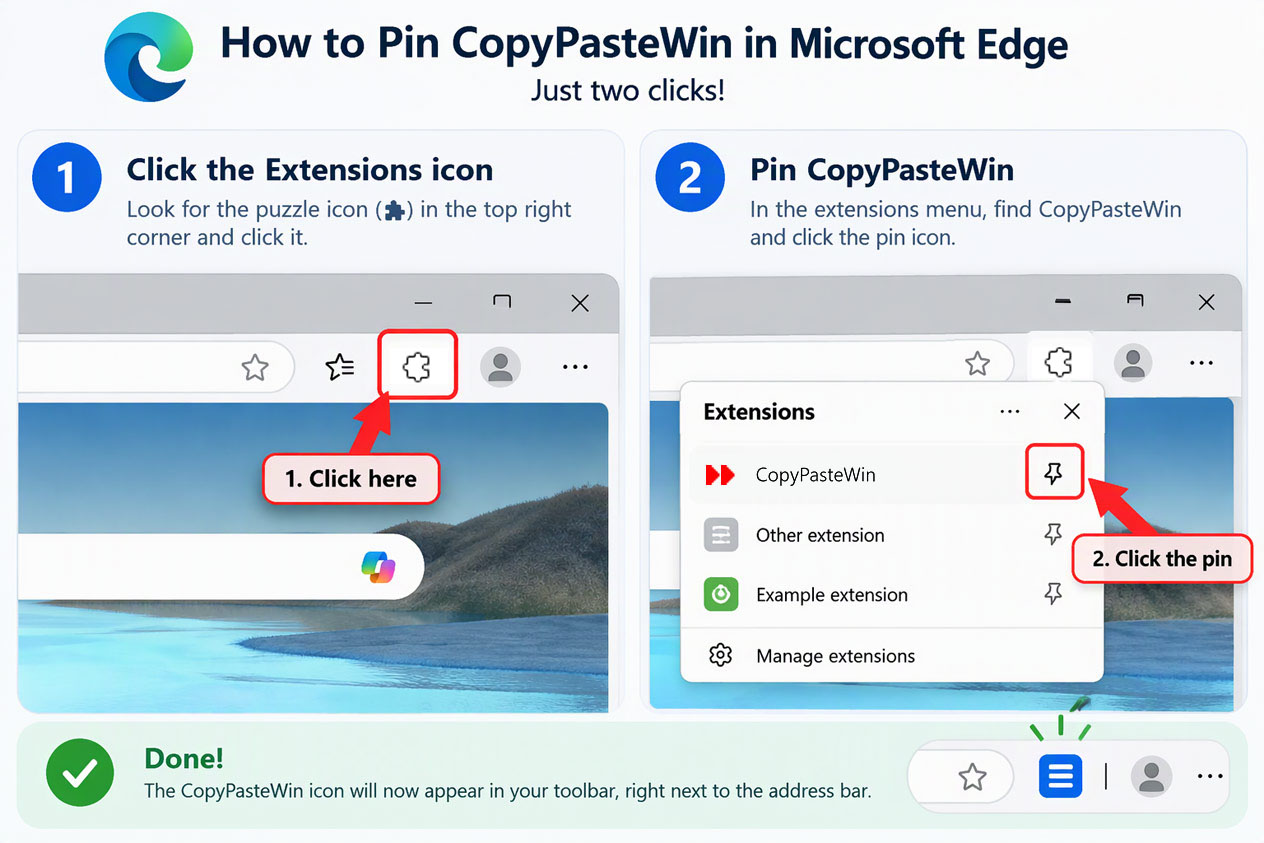
Step 1: Pin the extension to the toolbar
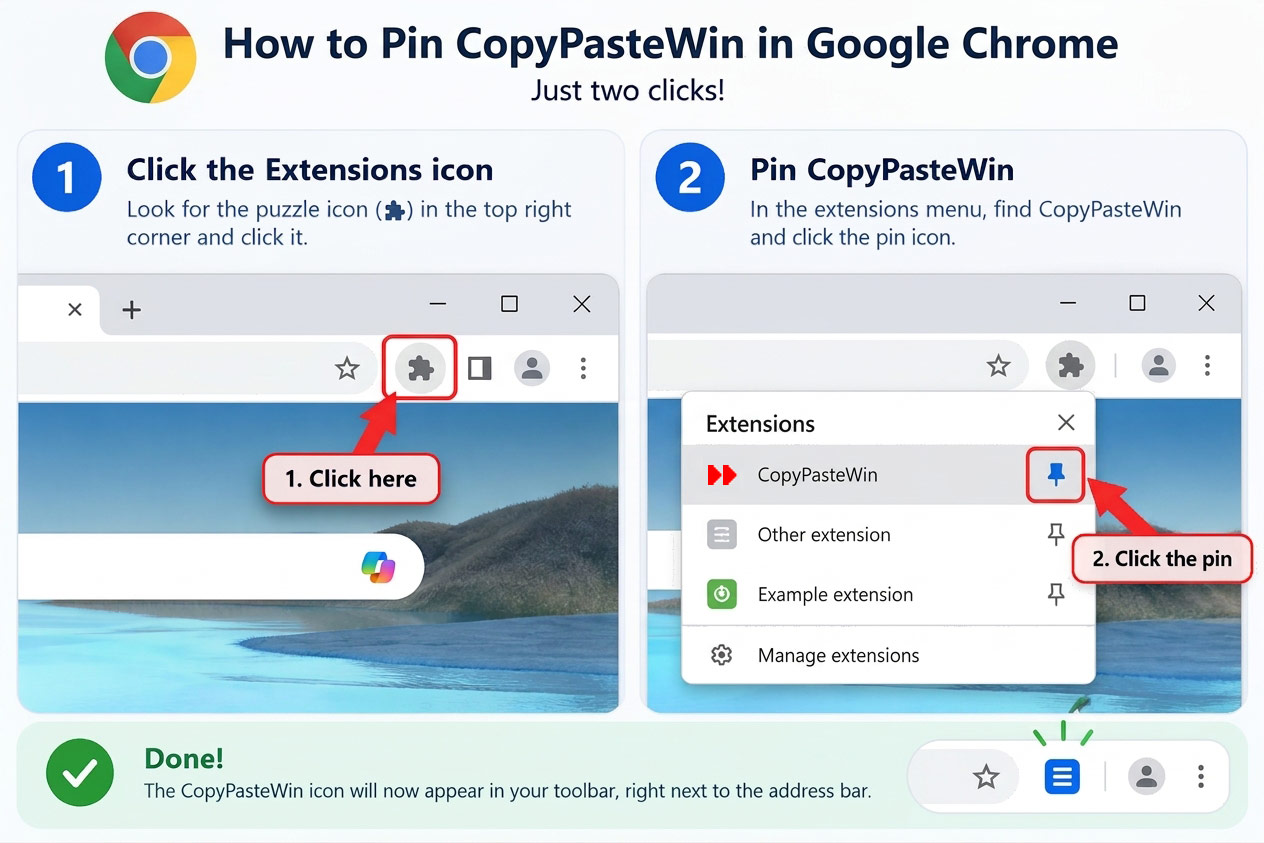
Click the extension icon (puzzle piece) in the browser toolbar and press the pin next to CopyPasteWin so the icon is always visible.
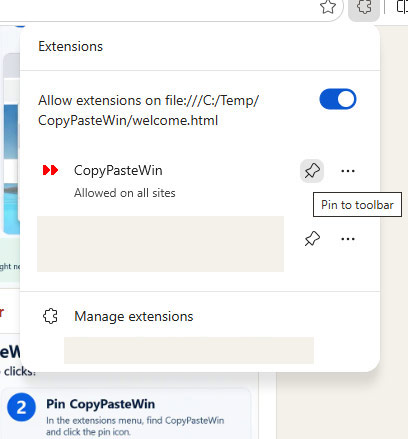
Step 2: That's it — CopyPasteWin is ready to use
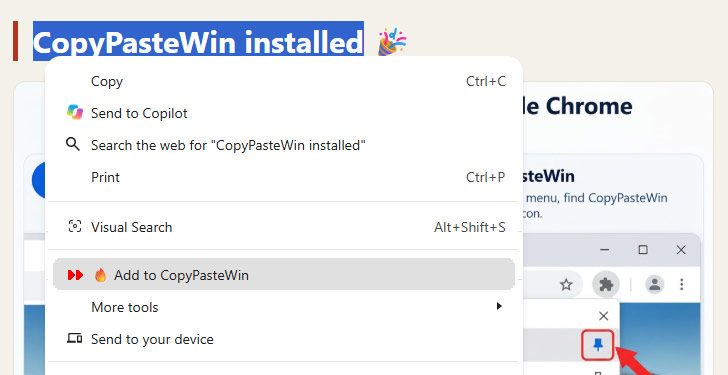
- Select any text → right-click → Add to CopyPasteWin.
- Right-click any link → Add Link URL.
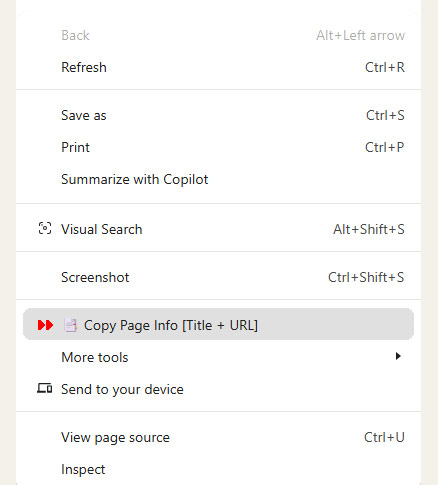
- Right-click the page → Copy Page Info (title + URL).
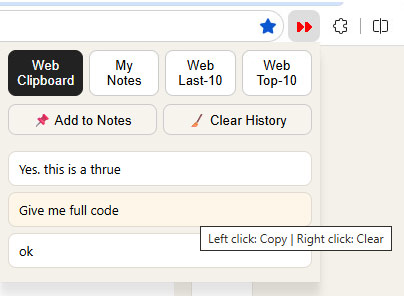
- Open CopyPasteWin in the toolbar: left-click an item to copy it,
right-click an item to remove it from the list.
Additionally: How to pin the extension in Chrome and Edge
Admin Mode:
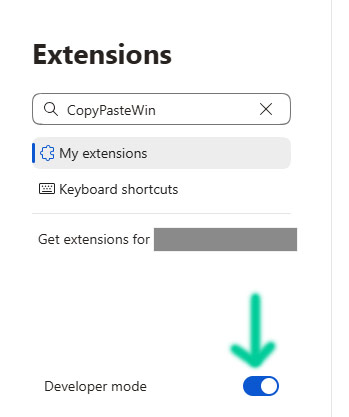
Chrome:
Edge: