Frequently asked questions
What is CopyPasteWin?
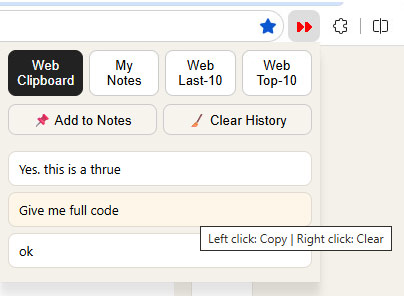
CopyPasteWin is a browser extension that combines clipboard history, notes, saved text and browsing shortcuts. It works in Microsoft Edge, Google Chrome and any Chromium-based browser, and all data stays in local browser storage.
Can CopyPasteWin read my clipboard without my knowledge?
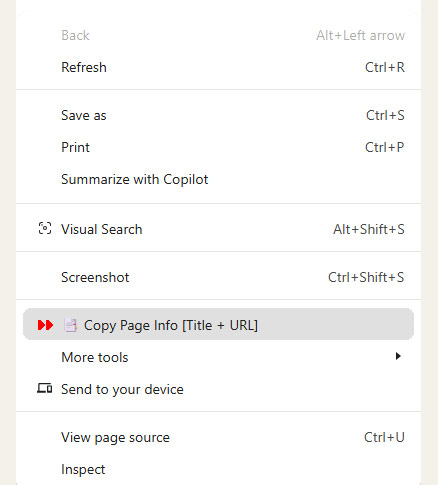
No. Browser security rules prohibit extensions from reading the clipboard silently or in the background. CopyPasteWin only stores an item at the moment you actively copy it — with Ctrl+C or from the context menu. The browser address bar is equally off-limits to extensions.
How do I save selected text in Edge with CopyPasteWin?
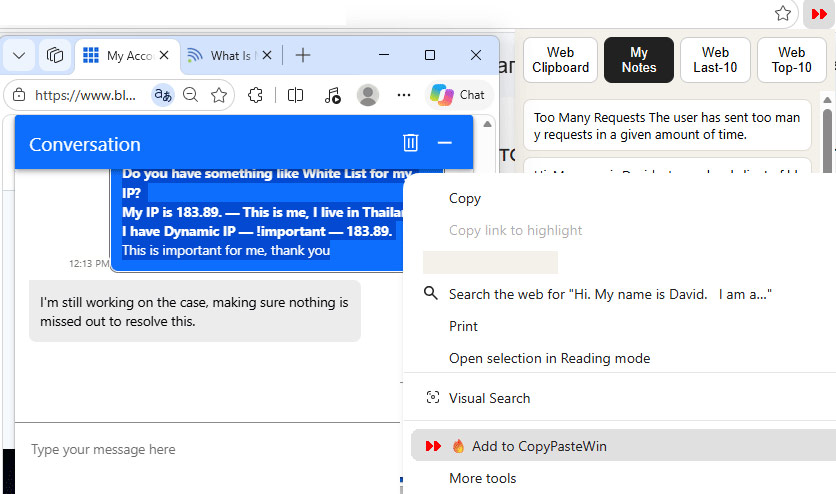
Select any text on a page, right-click it and choose "Add to CopyPasteWin". The text is saved to your clipboard history and copied to the clipboard at the same time.
How many clipboard items does CopyPasteWin keep?
CopyPasteWin keeps the last 50 copied items in the WEB Clipboard tab. The most recent item always appears at the top.
Does CopyPasteWin work in Chrome?
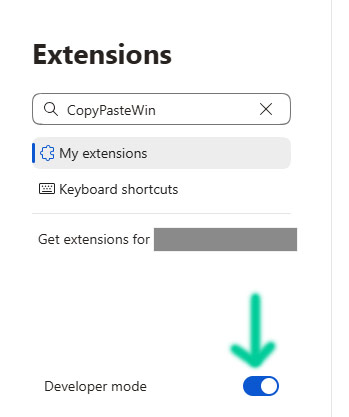
Yes. CopyPasteWin is built on Manifest V3 and works in Edge, Chrome and any Chromium-based browser. Load it as an unpacked extension or download the archive from this site.
Does CopyPasteWin send my data to a server?
No. Everything stays in your browser's local storage. Nothing is sent to any server, and one click on "Clear" wipes the list completely.
Where is my data stored?
All data is stored locally inside the browser on the current device. There is no cloud storage and no synchronization between devices.
Does CopyPasteWin require registration?
No. CopyPasteWin requires no registration, account or sign-in.
Who is CopyPasteWin designed for?
Anyone who regularly copies information while working in a browser and wants clipboard history without installing desktop clipboard manager software.